
Favorites
Favorites make it easy to quickly access the content you use most.
How to Add Items to Favorites
You can favorite media in two ways:
- From Gallery View: Click the star icon in the top-right corner of the item’s thumbnail.
- From the Content Page: Click the star icon near the top of the page.


Favorited items will stay marked until you remove them manually.
How to View Your Favorites
You have two different ways:
- In Gallery View, click the star icon next to the sort and filter tools to show only your favorited items.
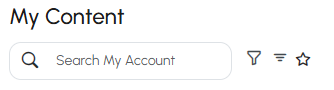
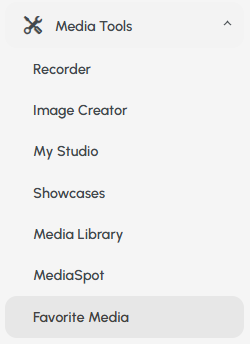
- Open the Media Tools menu on the left side and click Favorite Media to view all of them in one place.
Info
If you marked another user’s content as a favorite, be sure to look for it under Media Tools > Favorite Media. It won’t be in your personal gallery, that’s where just your own favorites live.